10 Oct 2025
The Model Context Protocol (MCP) revolutionizes how Large Language Models (LLMs) interact with external tools and applications, enabling them to perform complex, 'overpowered' tasks by abstracting API complexities. This guide demonstrates setting up and building custom MCP servers using Docker, empowering LLMs with capabilities like hacking, task management, and data retrieval in a standardized, simplified manner.
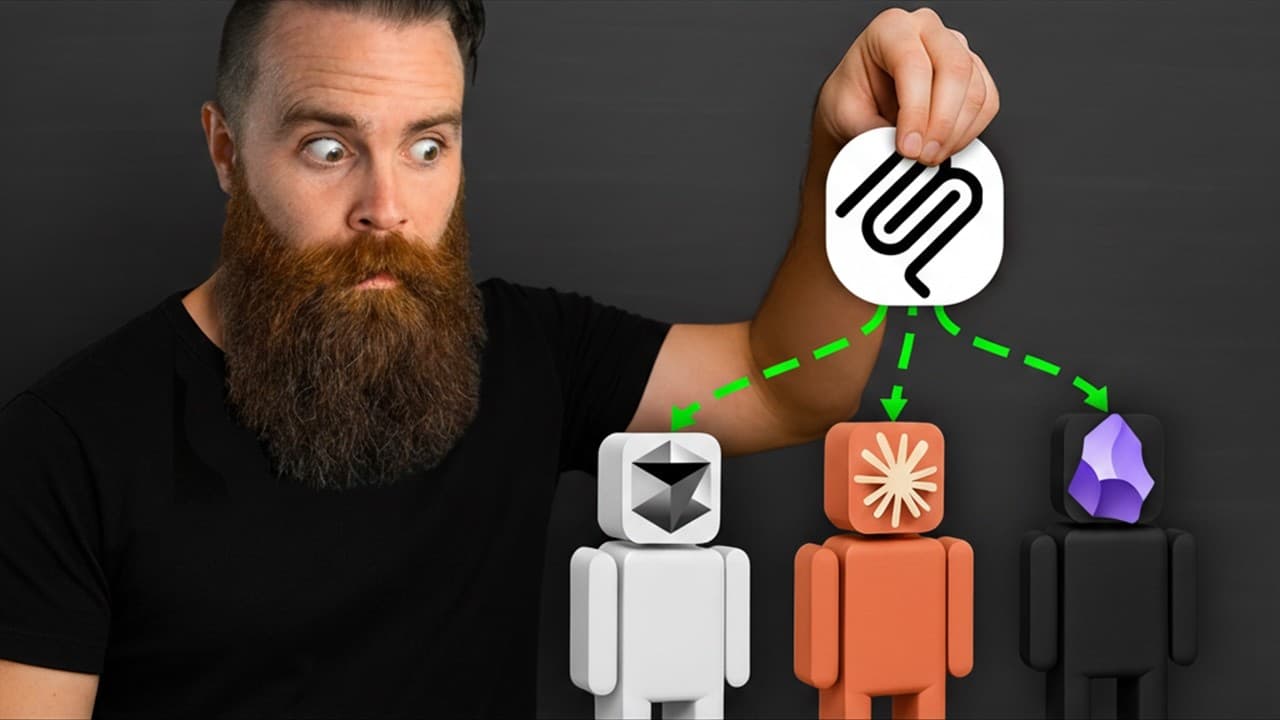
The Model Context Protocol (MCP) empowers Artificial Intelligence (AI) and Large Language Models (LLMs) to perform advanced operations by connecting them to external tools. Examples include integrating Claude with Obsidian, Brave, or Kali Linux, demonstrating the protocol's capability to enable LLMs to execute tasks like hacking.
Equipping LLMs with access to tools is crucial for productivity, but direct interaction with application code or Graphical User Interfaces (GUIs) proves inefficient. While Application Programming Interfaces (APIs) allow programmatic interaction, their complex documentation and the requirement for LLMs to run code for interaction present significant challenges.
MCP provides a standardized method for LLMs to access tools, akin to how USBC standardized cable connections. Developed by Anthropic, MCP simplifies tool use by introducing an MCP server that abstracts away the complexity of API calls, code, and authentication, allowing LLMs to simply request tasks from the server.
Running an MCP server locally is facilitated by Docker Desktop, which supports Mac, Linux, and Windows installations. Users must enable the Docker MCP toolkit within Docker Desktop's beta features. The setup process involves installing Docker Desktop, enabling the toolkit, and then adding official MCP servers from the Docker catalog.
LLM applications such as Claude Desktop, LM Studio (for local models), and Cursor can connect to Docker MCP servers. Once connected, LLMs gain access to the tools exposed by the MCP server, enabling them to execute tasks in plain language, like creating notes in Obsidian, performing web searches with DuckDuckGo, or managing timers with Toggle.
Users can create custom MCP servers for functionalities not present in the official catalog. This process involves using an AI prompt (e.g., with Claude Opus) to generate necessary files including a Dockerfile, requirements.txt, server.py, and a YAML catalog entry. These files define how the Docker container for the custom server is built and how its tools are exposed.
Demonstrations include building a simple dice roller MCP server, a Toggle timer MCP server interacting with the Toggle API to control timers, and a Kali Linux hacking MCP server for authorized testing. These examples showcase MCP's flexibility in integrating diverse tools and applications.
The Docker MCP gateway securely manages secrets like API keys and tokens, keeping them separate from code. Custom MCP servers are added to a user-defined YAML catalog, which is then referenced in the Docker MCP gateway configuration alongside the default Docker catalog. The registry.yaml file is manually updated to include newly registered servers.
Local MCP servers, particularly those running via Docker Desktop, communicate using standard input/output, exchanging JSON RPC messages through pipes for low latency. Remote MCP servers, such as Coin Gecko, utilize HTTP (specifically HTTPS for client-to-server) and Server-Sent Events (SSE) for server-to-client communication, which requires web server setup and authentication.
The Docker MCP gateway provides secure, centralized, and scalable orchestration of AI tools through containerized MCP servers. It functions as a single connection point for LLM clients to access multiple MCP servers, simplifying management and centralizing authentication and secrets, thus offering a more efficient approach than managing individual connections.
The Docker MCP gateway can operate as a headless server, making MCP servers remotely accessible over a network using SSE transport. This capability enables integration with automation platforms like N8N, allowing AI agents to orchestrate complex workflows by combining multiple tools (e.g., finding restaurants, Airbnbs, and saving results to Obsidian) across the network.
MCP is the model context protocol, a standardized way to give tools to LLM.
| Key Aspect | Description |
|---|---|
| Model Context Protocol (MCP) | A standardized protocol for Large Language Models (LLMs) to access and utilize external tools and applications programmatically. |
| Problem MCP Solves | Bridges the gap between LLMs and complex external tools by abstracting API code, documentation, and authentication, simplifying tool interaction for LLMs. |
| MCP Server Role | Acts as an intermediary, handling all underlying API calls and complexities, allowing LLMs to request tasks in plain language without requiring coding knowledge. |
| Docker Desktop Integration | Simplifies the setup and management of MCP servers locally through the Docker MCP toolkit, enabling users to run official and custom servers as containers. |
| Custom MCP Server Creation | LLMs can generate Dockerfiles, server code, and YAML catalog entries to build custom MCP servers for unique tool integrations tailored to specific needs. |
| Docker MCP Gateway | Centralizes access and orchestration for multiple MCP servers, allowing LLMs to connect to a single gateway for a wide range of tools, managing secrets securely. |
| Local Communication (Standard I/O) | Docker-based local MCP servers communicate directly using JSON RPC messages over standard input/output, ensuring high speed and low latency. |
| Remote Communication (HTTP/SSE) | Remote MCP servers utilize HTTP (HTTPS) for client-to-server and Server-Sent Events (SSE) for server-to-client communication, supporting network-based tool access with a web server setup. |
| Applications & Integrations | Enables LLMs to interact with diverse tools like Obsidian (notes), DuckDuckGo/Brave (search), Toggle (timers), Kali Linux (hacking), and integrate with platforms like N8N for complex workflows. |