3 Oct 2025
macOS 26, launched concurrently with iOS 26, introduces a unified "Liquid Glass" design across its interface, from the lock screen to redesigned applications. This major update focuses on enhanced productivity through an overhauled Spotlight Search, customizable applications, and a new approach to application management.
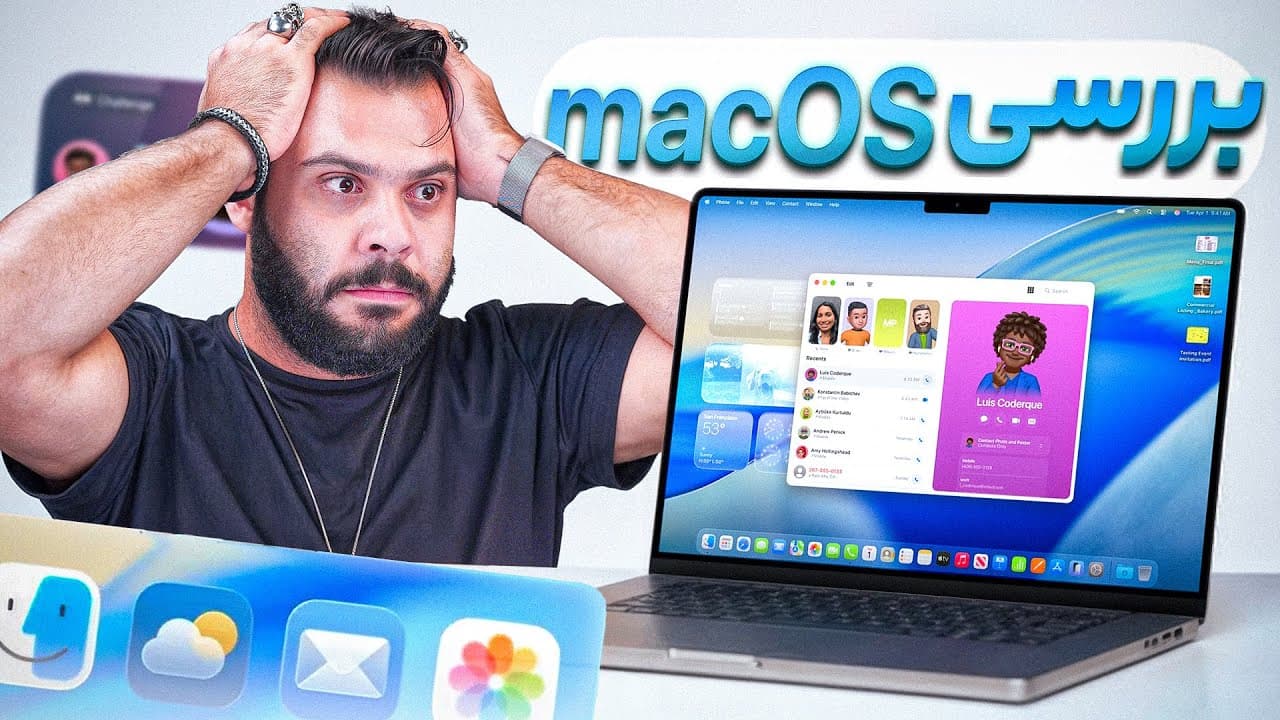
macOS 26 launches concurrently with iOS 26, integrating a consistent "Liquid Glass" visual design language across the entire operating system, from the lock screen to various applications.
Users can now modify icon and widget appearances within settings, choosing between Dark, Clear, and Tinted modes, though it's noted that third-party icon and widget packs are not yet fully updated for consistent "Liquid Glass" styling.
The Control Center now features the "Liquid Glass" aesthetic and offers expanded customization options, allowing users to add numerous accessibility features, shortcuts, Quick Note, and battery percentage, mirroring the utility of iOS and iPadOS Control Centers for quick actions like screen recording or calculations.
The upper menu bar has transitioned from a two-part design to a single, unified strip, accommodating more icons without the necessity of third-party applications like Bartender for managing overflow.
A dedicated "Games" application has been introduced to macOS, similar to its iOS counterpart, indicating Apple's increased emphasis on gaming, with features for downloading games, connecting with friends, managing game libraries, and integrating with Apple Arcade.
The Phone application has been significantly updated with a "Liquid Glass" UI, allowing users to view extensive call histories, pin calls, and directly dial numbers from the Mac, simplifying previous complex dialing processes.
The Messages application has received a "Liquid Glass" design refresh, addressing prior limitations such as the inability to reply and contact synchronization issues, now offering a comprehensive iMessage experience consistent with iPhone and iPad, including spam filtering and unread message management.
Spotlight Search has been drastically improved, featuring four primary modes activated by Command+1 for applications, Command+2 for files, Command+3 for "Actions" using customizable "Quick Keys," and Command+4 for a clipboard history that retains copied items for up to 48 hours. The "Actions" feature allows users to execute commands like sending messages or creating calendar events directly through typed inputs.
Finder folders now support advanced visual customization, replacing old color tags with options to color-code entire folders and add colored indicators next to their names, alongside the ability to assign 2D and 3D emojis for enhanced visual organization and distinction among numerous folders.
The traditional Launchpad has been superseded by a "Search Applications" interface, which appears via the former Launchpad gesture and presents categorized, alphabetical lists of all installed applications, reflecting Apple's shift towards a search-centric workflow for improved productivity, although it removes the previous drag-and-drop folder organization.
The overall user experience with macOS 26 is generally positive, with a notable exception being the inconsistent "Clear" mode icon styling for some third-party applications due to incomplete design unification across the macOS ecosystem, though no significant bugs were encountered during the review.
The most significant and attractive feature of macOS 26 is the greatly improved Spotlight Search, which now offers four primary sections, including Quick Keys for actions and a 48-hour clipboard history.
| featureCategory | featureName | keyImprovement | impactBenefit |
|---|---|---|---|
| Design & UI | Liquid Glass Aesthetic | Consistent visual style across the OS, including lock screen and app interfaces. | Modernized, unified user experience across Apple devices. |
| Customization | Appearance Settings | New modes for icons/widgets (Dark, Clear, Tinted) and Finder folder colors/emojis. | Enhanced personalization and visual organization, though some third-party icon consistency issues remain. |
| System Utility | Control Center | Liquid Glass style, customizable features like accessibility, shortcuts, Quick Note, battery. | Increased efficiency for quick actions and system management, mirroring iOS/iPadOS functionality. |
| System Utility | Top Menu Bar | Unified, single-strip design accommodates more icons natively. | Eliminates need for third-party apps (e.g., Bartender) for icon management. |
| Productivity | Spotlight Search | Four main sections for apps, files, actions (Quick Keys), and 48-hour clipboard history. | Significantly improved search capabilities, direct command execution, and easy access to past copied content. |
| Applications | Games App | Dedicated gaming platform with Apple Arcade integration and focus on Mac gaming. | Opens doors for more AAA games on Mac, centralizes game management. |
| Applications | Phone & Messages Apps | Redesigned with Liquid Glass UI, enhanced call management, direct dialing, improved messaging features (spam, unread). | Smoother communication experience, fixing previous feature gaps and UI inconsistencies. |
| Navigation | Launchpad Replacement | Replaced by a 'Search Applications' interface with categorized, alphabetical lists. | Shift towards a search-driven workflow for application access, enhancing productivity at the cost of traditional folder organization. |