7 Oct 2025
This video details a challenging but rewarding project to clone voices using local and open-source AI software, providing a completely free alternative to expensive, cloud-based solutions. It outlines a comprehensive method for training neural networks, covering data preparation, model training, and integration into a local AI voice assistant.
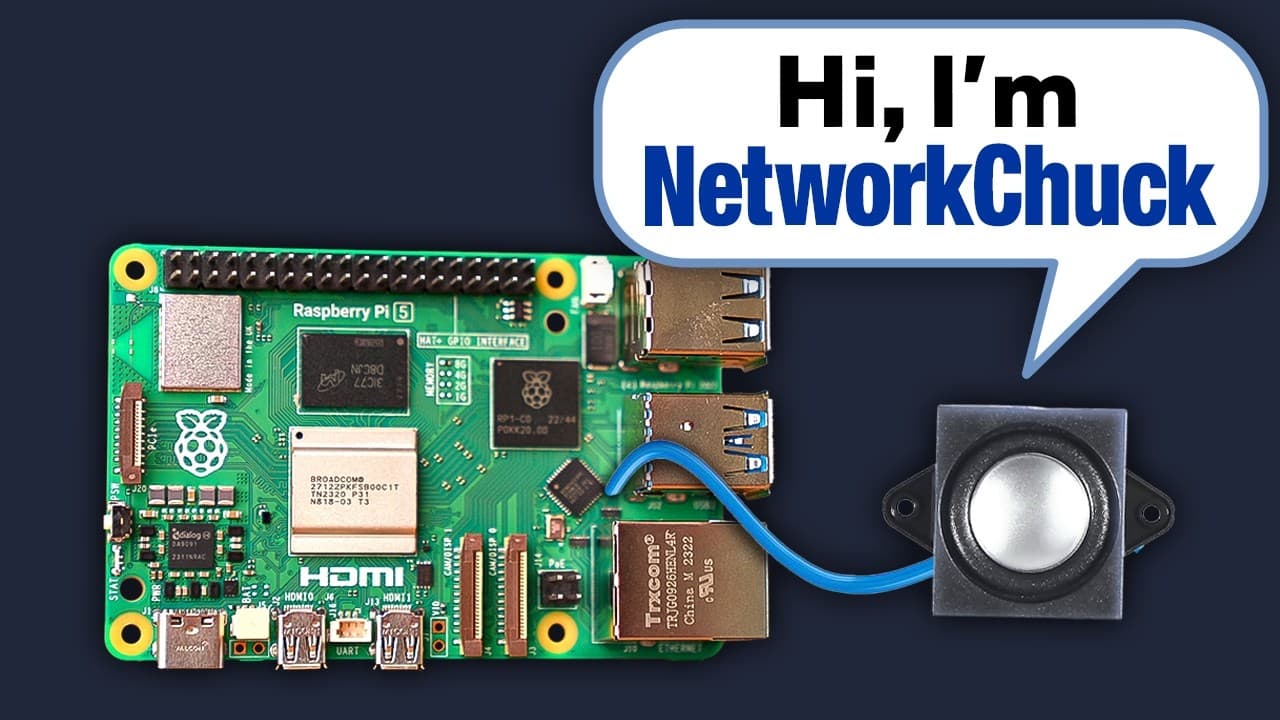
The project's mission is to clone voices using local, open-source, and free software, avoiding expensive cloud-based solutions like Eleven Labs, and integrating the custom voice into a local AI voice assistant like Terry, which replaces Alexa.
Cloned voices cannot be used for commercial purposes, content production, or distribution without explicit permission. This is not legal advice, and it is recommended to keep everything local and consult with a lawyer if there are any doubts.
A computer (Mac, Linux, or Windows) is required, with a GPU significantly accelerating AI model training compared to a CPU. Demonstrations include using WSL on a laptop with an Nvidia 3080, a dual 4090 AI server, and an AWS EC2 GPU-powered instance. The core software utilized is Hyper TTS, which trains voices into the standard ONNX model format, making them portable for use in any voice assistant or text-to-speech program.
High-quality, clean voice data is essential for AI voice cloning. For cloning one's own voice, Piper Recording Studio is recommended for easy self-recording of phrases. To clone another voice, like from YouTube videos, audio files need to be downloaded, ensuring the source voice is clean without background music or interruptions. Access to pre-processed audio files is provided for convenience.
The process involves installing WSL (Windows Subsystem for Linux) and Ubuntu, then cloning the Piper Recording Studio repository. A Python virtual environment is created and activated to manage dependencies, followed by installing required Python packages. The Piper Recording Studio is then run as a web interface on localhost:8000, allowing users to record phrases directly into the system, with more recordings leading to higher accuracy.
Raw audio data requires cleaning to remove music, silence, and split into shorter segments. Audacity, an open-source audio editor, is used to manually remove music from downloaded YouTube audio files. FFMPEG is then used with a script to automatically remove silence. These longer audio files are subsequently cut into multiple shorter files, ideally no longer than 15 seconds each, using a bash script.
After cleaning and splitting audio files, Whisper, a local transcription tool, is used to transcribe all audio files into text. A Python script processes each file, transcribing it and generating a metadata.csv file that pairs each audio filename with its transcription, a format required by Piper for training.
Keeper's privileged access manager and Secrets Manager (KSM) address the critical cybersecurity issue of developers hard-coding secrets (passwords, API keys) into software. KSM offers a secure, cloud-based, zero-knowledge platform for managing credentials directly from the terminal, integrating with platforms like Ansible, AWS, and Docker, providing a robust solution for protecting sensitive information.
A new directory for training is created, and the Piper repository is cloned into it. A Python virtual environment is set up and activated to manage specific library versions. Special attention is given to installing precise versions of PIP (23.3.1), NumPy (1.24.4), and Torch Metrics to avoid compatibility errors. For Nvidia 4090 GPUs, a specific fix involving modifying the requirements file and installing a particular PyTorch version is needed to overcome a Cuda 11.7 bug.
The `Piper train pre-process` Python module is executed to prepare the cleaned and transcribed data for training. This step takes the wave directory and metadata.csv file, processes them, and outputs a new directory containing everything Piper needs to train the voice model. The process utilizes multiple CPU workers and processes utterances to optimize the data for the training phase.
Training begins by downloading an existing pre-trained model checkpoint (e.g., English, US, 'ic' medium quality) to use as a starting point for fine-tuning, significantly reducing training time. Training parameters like dataset directory, GPU usage, batch size (adjustable based on VRAM), and maximum epochs are configured. Training progress can be monitored and paused/resumed using checkpoints, ensuring flexibility.
Upon completion of training (indicated by the 'final epoch reached'), the final checkpoint is exported to the universal ONNX format using the `Piper train export onnx` command. The `config.json` file from the training directory also needs to be copied alongside the ONNX model file. Initial attempts at voice generation reveal that voice quality is highly dependent on the cleanliness, quantity, and diversity of the training audio clips, as well as the number of training epochs.
The exported ONNX model and its corresponding config JSON file are uploaded to the Home Assistant server via a Samba share. These files are placed in a 'Piper' folder, potentially requiring renaming to ensure recognition by the Piper add-on. After refreshing the Piper add-on and the Wyoming device, the new custom voice can be selected as a text-to-speech option within Home Assistant's voice assistant settings, allowing for integration with AI conversation agents like Terry.
The integrated voice assistant, configured with the cloned voice and a specific personality prompt (e.g., 'sinister man' for Mike), demonstrates its ability to answer questions with the new custom voice. Performance depends on the processing power of the Home Assistant server, with dedicated AI servers like Terry providing much faster response times.
This is why doing this locally and openly is loved, as it provides more power and ensures privacy.
| Category | Item | Description |
|---|---|---|
| Core Technology | Piper TTS | Open-source, local Text-to-Speech engine for voice cloning and generation. |
| Data Preparation Tool | Piper Recording Studio | Web-based tool for easily recording and preparing custom voice datasets. |
| Audio Processing Tools | Audacity, FFMPEG | Used for cleaning audio data (removing music, silence) and splitting long files into short clips (max 15 seconds). |
| Transcription Tool | Whisper | Local AI model for accurately transcribing audio files into text, generating metadata for training. |
| Key Output Format | ONNX | Universal format for trained TTS models, allowing portability across different platforms. |
| Training Strategy | Fine-tuning | Using a pre-trained base model as a starting point to significantly reduce training time and effort. |
| Critical Dependencies Fix | Specific Library Versions | Required exact versions of PIP (23.3.1), NumPy (1.24.4), and Torch Metrics to prevent compatibility errors during Piper setup. |
| GPU Specific Fix | NVIDIA 4090 / Cuda 11.7 | Resolved a bug by changing Piper's requirements and PyTorch version to support 4090 GPUs. |
| Quality Determinants | Data Quality, Quantity, Diversity | Pristine, ample, and varied audio clips are crucial for high-quality voice cloning results. |
| Sponsor Solution | Keeper Secrets Manager | Provides secure, cloud-based, zero-knowledge management of developer secrets (API keys, passwords) directly from the terminal. |